PLGN on your PC. Sign in and start.
plgn desk is a Windows app with PLGN and its AI already inside. Sign in and pick a job from a menu. No AI account to connect, no commands to learn, nothing to paste.
- Free with your PLGN account
- Windows only
- Beta
- About 100 MB
- No Mac version yet
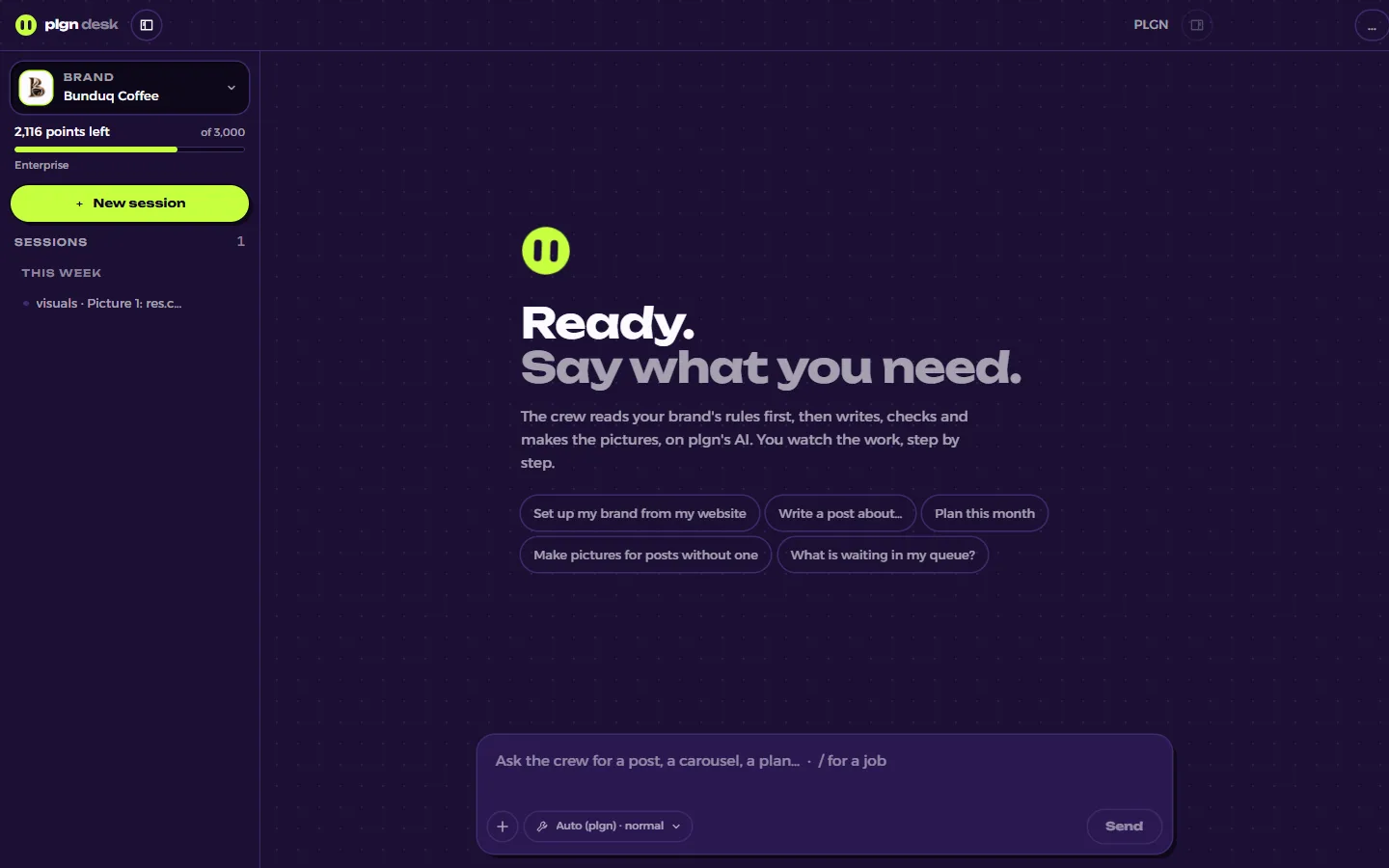
Up and running in three steps
- 01
Download and install
One file, about 100 MB. Windows will warn you because the beta is not signed yet: press More info, then Run anyway. It installs in seconds and opens by itself.
- 02
Sign in with PLGN
Your browser opens, you sign in to your PLGN account, and the app picks up your brands.
- 03
Pick a job
Type / and pick one. PLGN's own AI does the work, on your plan's points, so there is no AI account to connect.
What it looks like on your screen
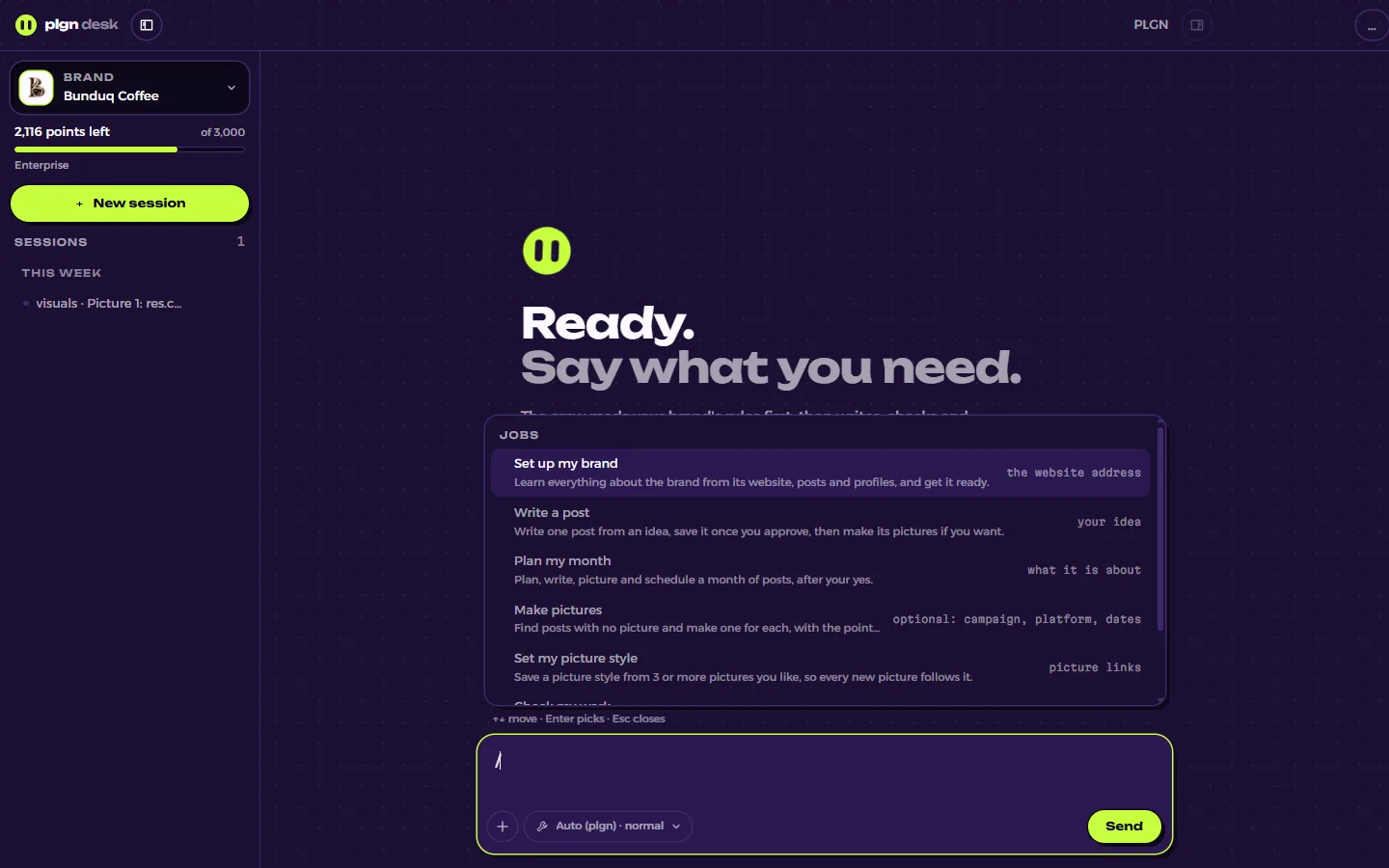
Type / and pick the job
The seven jobs are in one list, each with a line saying what it does. Pick one and the crew starts.
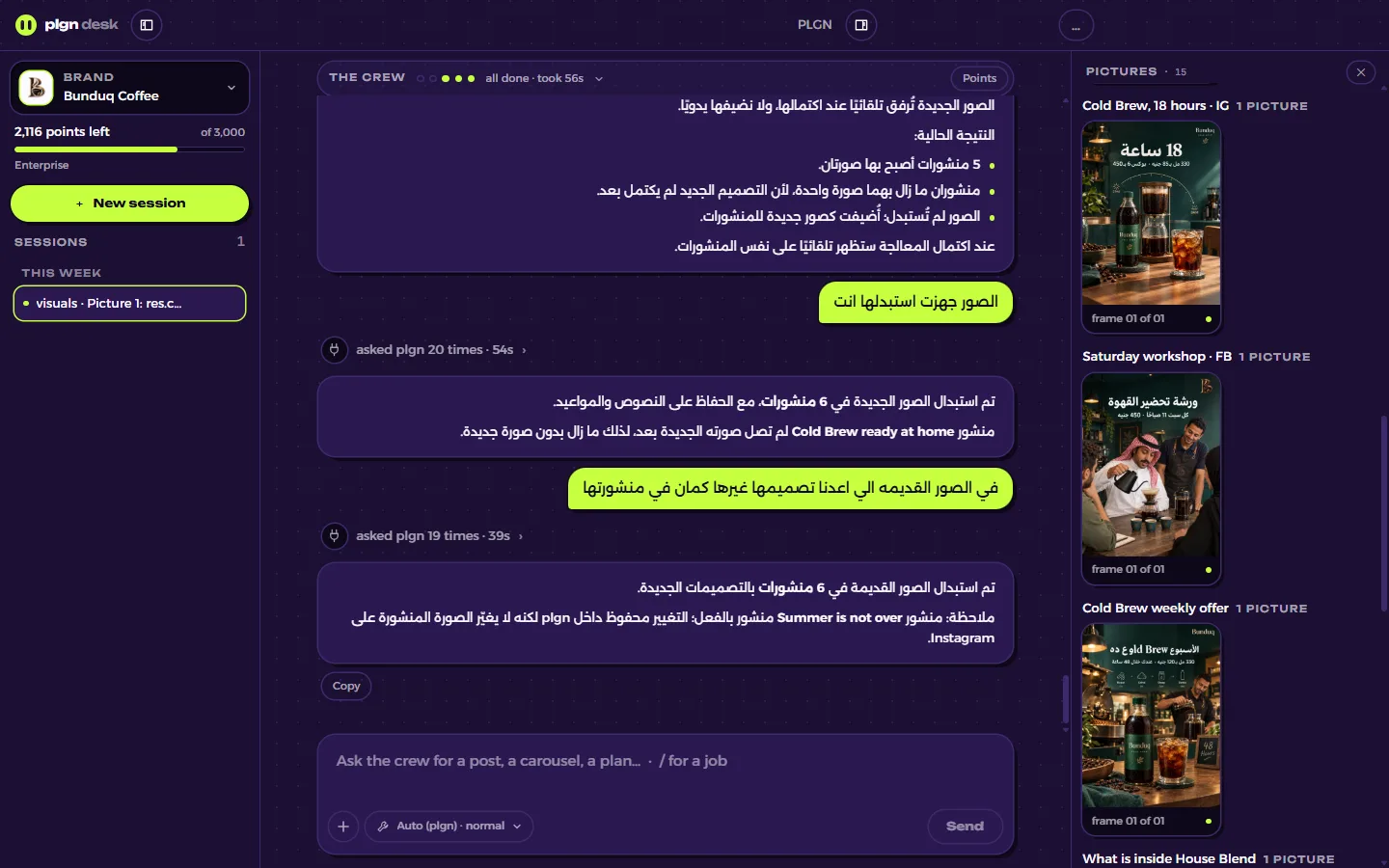
Watch the job, keep the pictures
The bar at the top shows who is working. The answer says what changed, and every picture lands in the panel beside it, grouped by post.
Everything PLGN does, without a single command
Jobs from a menu
Type / and pick one of seven jobs: set up your brand, write a post, plan your month, make pictures and more. For anything else, ask in your own words.
Questions one at a time
When it needs answers, each question gets its own screen with the choices as buttons, and its best answer already picked.
A card for every job
Which brand, how many points are left, and at the end what it did: posts saved, posts the check held back.
Pictures beside the chat
Every picture it makes lands in a panel next to the conversation, grouped by post.
Arabic or English
The whole app in either language, right to left when you want it.
Updates itself
When a new version is ready you see Restart to update. You download it once.
Your chats stay on your PC
Saved on your computer
Your conversations are kept in the app's own folder on your PC, not on our servers.
Where your messages go
With PLGN's AI, your messages go through PLGN to OpenRouter and on to the AI that answers. PLGN keeps each chat's name and cost for your points history, not the conversation.
Your brand stays in PLGN
Brands, posts and pictures live in your PLGN workspace, the same one the website shows.
Windows will warn you, because the beta is not signed yet. Press More info, then Run anyway.
Rather use the AI app you already have? Plug PLGN in there instead.