Standard
Everyday posts
Default: GPT Image 2.5 Flare · 1K
PLGN learns your brand once, plans the month, writes each post for its platform, makes the pictures, and checks every post before anything is scheduled. Here is each part, in order.
Tell your AI what you need in one sentence. PLGN takes it from your brand to your calendar, and nothing is scheduled or changed until you say yes to your AI.
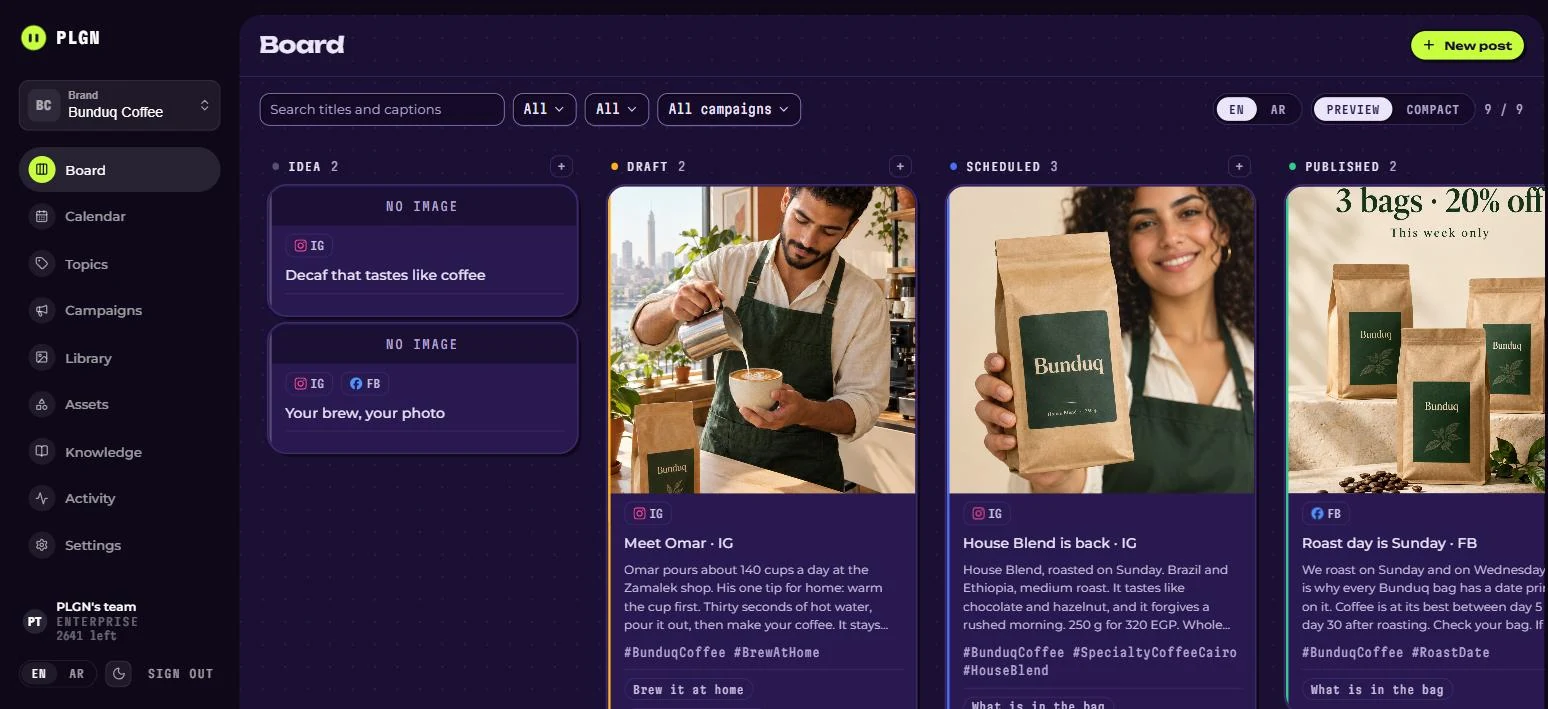
PLGN reads your website and the posts you already published, asks you a few questions, and saves what it learns. Every post after that lands on one board your team can see. Fix a line, pick a date, move on.
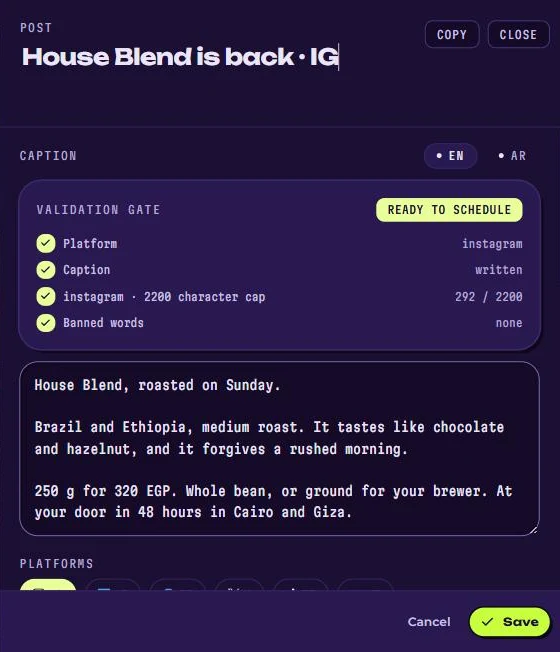
Open a post and you see what was checked: the platform, the length and the banned words. When it says ready, it is ready.
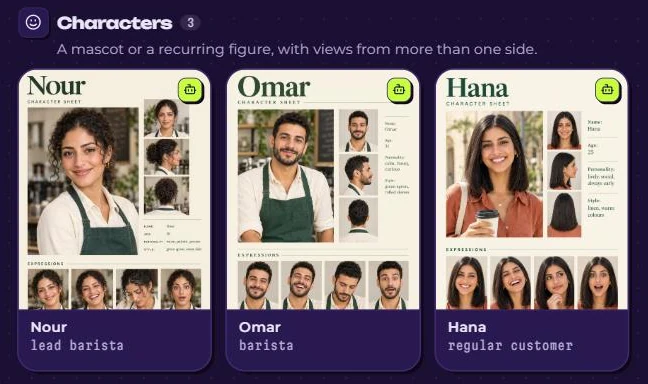
PLGN learns your look from pictures you already published, and builds new ones around your real logo, products and people. Nour still looks like Nour in post thirty.
Pictures are made from the same brief as the post, in your look. Pick a level, or let PLGN pick. Every picture shows its price in points before anything is spent, and a post that works better with no picture gets none.
Everyday posts
Default: GPT Image 2.5 Flare · 1K
Covers and carousels, in more detail
Default: GPT Image 2.5 Flare · 2K
Print, and the same faces and products shot after shot
Default: Nano Banana 2 · 4K
AI is fast. It also writes too long for X and uses the words your client banned last month. Every post goes through one check for your banned words and the platform's length limit. When it refuses, it names the rule and the number.
Every stopped post says why. “12 characters over”, not “please review”.
A post that fails the check cannot be scheduled. Fix it, and it moves on.
The same check runs everywhere, whether you write in the dashboard or through your AI.
The empty phrases that make an AI post sound like AI. We banned them from our own marketing, and you can set your own list for every brand.
| Before PLGN | With PLGN |
|---|---|
| You start from a blank page | You start from your brand |
| You explain the brand in every chat | The brand is already saved |
| “What do we post today?” | A 30-day plan you work from |
| You rewrite the same post for each platform | One idea, fitted to each platform |
| Nice pictures that don't match | Pictures in your own look |
| You find the mistake after it's posted | It's stopped before it's scheduled, with the reason |
| Five tools, ten chats, a folder of files | One place for the whole month |
| A good post runs once | Good posts come back, rewritten |
You stop producing posts one by one, and start running a content system.
Say it the way you would say it to a colleague. PLGN has 84 tools, and your AI picks the right one. A few things people ask for:
“Switch to the coffee brand and show me what is set up.”
“Write twelve posts for July and schedule them.”
“Give me five topics for the new product.”
“Save this closing line and put it on every offer post.”
“Learn our voice from the website.”
“Add the new serum with its three benefits.”
“Save Sara as our character and use her in the pictures.”
“Start a Ramadan campaign on the first of March.”
“Move these photos into the summer folder.”
“Make a picture for this post in our style.”
“Why does this picture look like this?”
“What are our top competitors posting on Instagram?”
“Connect my Cloudinary account.”
Pictures are saved to your own Cloudinary account, an image storage service with a free plan. They stay yours, whatever happens to PLGN.
Your storage keys are encrypted with AES-256, saved once, and never shown in the browser again.
Built on MCP, the open standard AI apps use to connect to tools. You approve the connection once, and every request stays locked to your own workspace. These are the tool names your AI calls.